
Create Smarter WhatsApp Message Templates
Build structured WhatsApp templates for marketing, notifications, customer updates, and business communication while managing your messaging workflows from one platform.
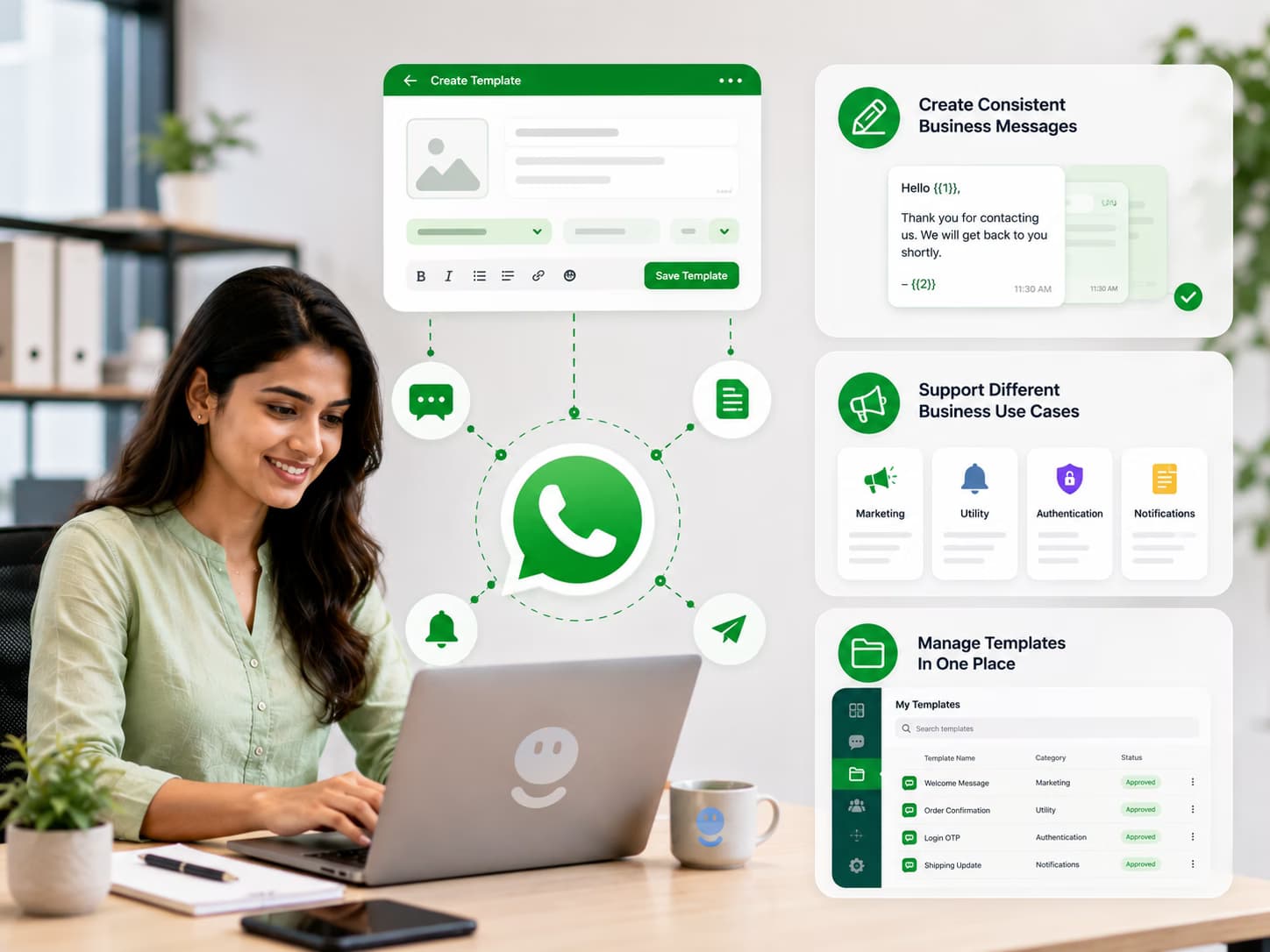
Why WhatsApp Message Templates Matter
Well-structured message templates help businesses create consistent customer communication and manage business-initiated WhatsApp messaging more efficiently.
Create Consistent Business Messages
Build reusable message templates for recurring customer communication instead of creating every business message from scratch.
Support Different Business Use Cases
Create suitable templates for supported marketing, utility, authentication, notifications, and customer communication workflows.
Manage Templates In One Place
Organize and manage your WhatsApp message templates through a centralized platform so your team can use the right communication format for each workflow.
See WhatsApp Message Templates In Action
How WhatsApp Message Templates Work
Create
Create a structured WhatsApp message template based on the communication purpose and business use case.
Customize
Add relevant message content, variables, and supported interactive elements required for your customer communication.
Submit
Submit the template through the applicable WhatsApp Business Platform process for review and approval when required.
Use
Use approved templates in supported business messaging workflows such as campaigns, notifications, and customer communication.
Make Every Business Message More Structured
Deliver exceptional customer experiences that translate directly into measurable business growth.
Save Time On Repetitive Communication
Create reusable templates for common customer interactions so your team does not need to repeatedly write the same business messages.
Create More Consistent Customer Experiences
Use standardized communication templates across marketing, sales, notifications, and customer support workflows.
Key WhatsApp Message Template Features
Marketing Templates
Create suitable templates for eligible WhatsApp marketing communication such as promotions, product announcements, and customer engagement campaigns.
Utility Templates
Create structured templates for supported transactional and utility communication such as updates, reminders, and customer notifications.
Dynamic Message Content
Use supported variables and dynamic information to make templates more relevant to individual customers and business workflows.
Use Templates Across Your Business Workflows
Frequently Asked Questions About WhatsApp Message Templates
What Are WhatsApp Message Templates?
WhatsApp message templates are pre-defined business message formats used for supported WhatsApp Business Platform communication. They help businesses send structured messages for marketing, utility, authentication, notifications, and other supported use cases.
Why Do Businesses Need WhatsApp Message Templates?
Templates help businesses standardize recurring communication and are used for certain business-initiated WhatsApp messaging scenarios. They also allow businesses to create structured messages that can be reviewed according to the applicable WhatsApp Business Platform requirements.
What Types Of WhatsApp Message Templates Can I Create?
Depending on the applicable WhatsApp Business Platform capabilities and messaging rules, businesses can create templates for categories such as marketing, utility, and authentication-related communication.
What Is A WhatsApp Marketing Template?
A WhatsApp marketing template is a structured business message designed for eligible promotional or marketing communication. Businesses must follow applicable customer consent, messaging, and WhatsApp Business Platform requirements.
What Is A WhatsApp Utility Template?
A WhatsApp utility template is designed for supported business-related communication such as updates, reminders, confirmations, or other utility-focused customer notifications.
Do WhatsApp Message Templates Need Approval?
Certain business-initiated WhatsApp messages require approved templates before they can be used. The review and approval process is managed through the applicable WhatsApp Business Platform systems and requirements.
How Long Does WhatsApp Template Approval Take?
Template review time can vary depending on the submission and the current WhatsApp Business Platform review process. Businesses should allow for review before planning time-sensitive campaigns.
Why Can A WhatsApp Message Template Be Rejected?
Templates can be rejected for reasons related to content, formatting, category selection, policy requirements, or other WhatsApp Business Platform rules. The exact reason depends on the template and the review outcome.
Can I Add Variables To WhatsApp Message Templates?
Yes. Supported WhatsApp message templates can use variables to insert dynamic information such as customer names, order information, dates, reference numbers, or other relevant business data.
Can WhatsApp Templates Include Buttons?
Supported WhatsApp message templates can include certain interactive elements such as buttons, depending on the available template capabilities and current WhatsApp Business Platform requirements.
Can I Use WhatsApp Message Templates For Bulk Messaging?
Yes. Approved and eligible templates can be used as part of supported WhatsApp bulk messaging and marketing campaign workflows when the business follows applicable consent and messaging requirements.
Can I Use WhatsApp Templates For Customer Notifications?
Yes. WhatsApp message templates can be used for supported utility and notification workflows such as customer updates, reminders, confirmations, and other business-related communication.
Can WhatsApp Message Templates Be Connected To A CRM?
Yes. Templates can be used within WhatsApp API workflows connected to CRM systems and other business applications, allowing dynamic customer information to be included in supported business messages.
Can I Manage WhatsApp Message Templates With WA Agent?
Yes. WA Agent provides tools for managing WhatsApp business communication and templates as part of your broader customer messaging workflow. Available template management capabilities depend on the connected WhatsApp Business Platform setup.
Can I Use WhatsApp Message Templates In India?
Yes. Businesses in India can use applicable WhatsApp Business Platform message template capabilities, subject to Meta's current messaging policies, business requirements, template rules, and approval processes.
How Do I Create A WhatsApp Message Template?
Start by identifying the purpose of the message, choose the appropriate template category, write the message content, add supported variables or interactive elements where appropriate, and submit it through the applicable WhatsApp Business Platform process.
Explore Related Solutions

WhatsApp Bulk Messaging For Business
Reach your customers at scale with WhatsApp bulk messaging. Create targeted campaigns, send approved business messages, and manage customer communication with WA Agent.

Official WhatsApp API For Business
Connect your business with the Official WhatsApp Business Platform to manage customer conversations, notifications, marketing campaigns, automation, and support at scale.

WhatsApp API Integration For Business
Connect WhatsApp with your CRM, website, ecommerce store, and business applications using WhatsApp API integration built for customer communication, automation, marketing, and support.